


Bookly - Book Tracker Library
4.31.03K Reviews
App Specs
- Version
- 2.4.1
- Updated On
- License
- Free
- Downloads
- 500,000+
- Developer
- SC TWODOOR GAMES SRL
- Categories
- Books & Reference
- Platform
- Android
Screenshots
 Analysis by AppCompare
When I have several books open at once, it is easy to forget where I left off or which title I meant to read next. A dedicated reading log can make those small details easier to manage, and Bookly - Book Tracker Library is built around that practical job. It is a free reading-tracker app from SC TWODOOR GAMES SRL, in the Books & Reference category. I see its strongest appeal in the way it turns reading time into something I can record and reflect on, rather than in replacing a bookstore, ebook reader, or social network.
That focus matters when deciding whether to try it. The app is rated 4.1 on average from around 8,100 ratings, and it has more than 500,000 installs. Those figures suggest a well-used tool, but they do not tell me whether its routine will suit every reader. I would consider it most useful for someone who wants a clearer picture of their reading habits and a manageable place for current, completed, and planned books. If I only read one book at a time and never lose track, a notebook or a simple list may be enough.
Getting Started with Bookly
First things first, downloading Bookly - Book Tracker Library is a breeze. Available on both Android and iOS, it’s just a tap away in your app store. Once installed, you’re greeted with a clean and intuitive interface that makes navigation as easy as flipping a page. The current version is 2.3.6, and the app runs on Android 6.0 or later. Its content rating is Everyone, so the intended audience is broad, though the best fit is naturally readers who enjoy keeping a record of their books.
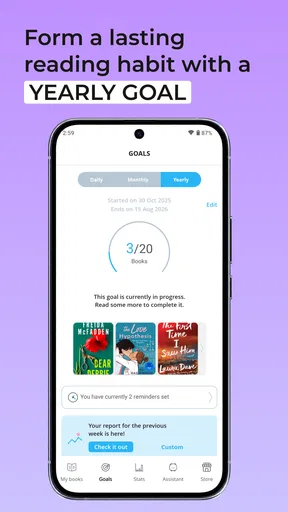
Setting up your profile is quick and straightforward. You input your reading goals, current reads, and even set reminders to help you stay on track. The app is like having a personal reading assistant who nudges you to pick up that book you’ve been meaning to finish. I would keep the first goal modest: a target that reflects the time I actually have is more encouraging than an ambitious number I stop checking after a busy week.
Features That Hook You
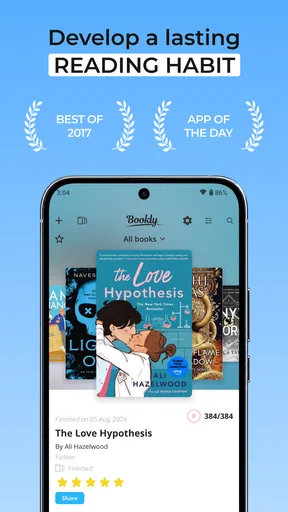
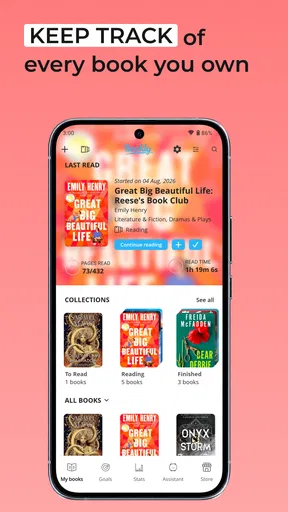
What I love most about Bookly is its robust set of features. The app allows you to track the books you’ve read, the ones you’re currently reading, and those on your to-read list. It’s like having a digital library at your fingertips. The important distinction is that this is a record-keeping companion, not a substitute for the book itself; the value comes from maintaining the log as I read.
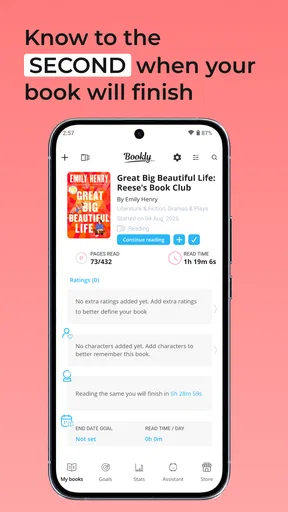
- Reading Timer: This feature lets you track how long you spend reading each book. You can set goals and get a breakdown of your reading habits over time.
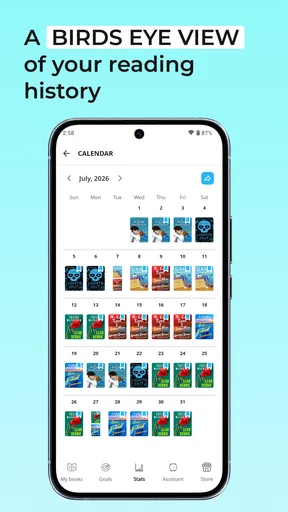
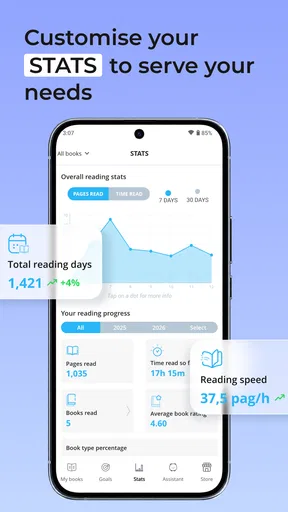
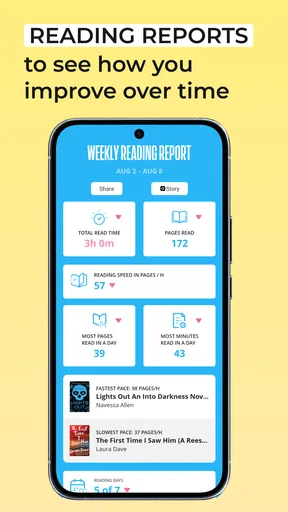
- Statistics: If you’re a data nerd like me, you’ll appreciate the detailed stats that show your reading speed, total pages read, and more. It’s motivating to see your progress visualized.
- Quotes and Thoughts: Ever stumbled upon a quote that resonated with you? Bookly lets you highlight and save these nuggets of wisdom for later reflection.
These features combined make Bookly not just a tracker, but a comprehensive tool to enhance your reading experience. One useful habit is to end a reading session by recording progress and a quick thought while the page is still fresh in my mind. That creates a more meaningful record than entering a pile of sessions from memory later, when I may not recall which passage stood out or how long I read.
User Experience and Design
In terms of user experience, Bookly nails it. The app is visually appealing with a soothing color palette that’s easy on the eyes. Navigation is a breeze thanks to its simple, yet effective layout. Even if you’re not tech-savvy, you’ll find your way around without a hitch. That simplicity is particularly helpful if I want to log a short session and get back to the book instead of spending more time managing the tracker than reading.
Worth Reading Before You Choose

EA SPORTS FC Mobile 26 Is a Bigger Football Game, but It Takes Time

Flipboard Shows What News Apps Must Do Beyond the Feed

Switching to Android Auto Means Rethinking Your Driving Routine

Google Calendar Makes a Crowded Week Easier to Manage

Ludo King Makes the Most of the Minutes Between Plans

Baby Panda World Brings Quick Play to Modern Phones, but Its Game Library Feels Busy
One of the standout elements is the customization. You can tweak settings to suit your personal preferences, from notification reminders to theme colors. It’s these little touches that make Bookly feel like a personalized reading companion. I would treat reminders as optional prompts rather than obligations: if an alert starts to feel like homework, changing or disabling it is a sensible way to keep the routine pleasant.
Making the Tracker Fit Real Reading Habits
A realistic use for Bookly is a reader who switches between a novel at home, a nonfiction book during a commute, and a title they have been meaning to start for months. Instead of trusting memory to keep all three straight, I can use the reading list to distinguish what is active from what is merely planned, then log each session against the right book. The timer is most useful here when I want to notice whether I tend to read in short bursts or longer stretches; it is less important if I only care about finishing a title.
For a book club, I would use the notes and saved quotations as personal reminders of passages to bring up in discussion. I would not rely on them as a complete annotation system for study, though. A brief note works well for capturing a reaction, while detailed research notes, page-linked citations, or a searchable archive may be better handled in a dedicated notes app. The trade-off is clear: Bookly keeps reading activity together, but it is not meant to replace every tool a student or researcher might need.
There is also a practical way to avoid turning statistics into pressure. I would check the numbers after a few sessions or at the end of a week, rather than repeatedly measuring every small reading day. That makes the data useful for spotting patterns—such as whether a regular quiet window helps me read—without treating speed or page totals as a score. If the figures motivate you, they can support a routine; if they make leisure reading feel competitive, the tracker’s goals are easy to treat more lightly.
Integration and Community
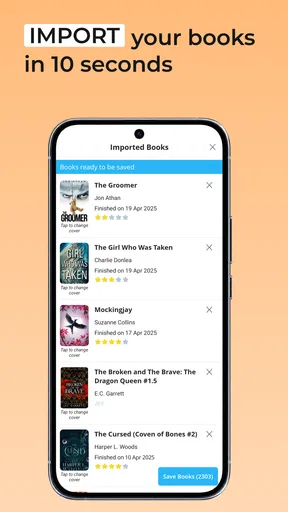
Another highlight is Bookly’s integration capabilities. The app can sync with Goodreads, allowing you to import your reading list effortlessly. This feature is a game-changer for those who’ve been using Goodreads as their primary book tracking tool. I would still review an imported list before relying on it: a to-read shelf can accumulate old plans and duplicate intentions, so a quick tidy-up makes the new tracker more useful from day one.
Moreover, Bookly fosters a sense of community. You can join reading challenges, share your progress with friends, and even compete in friendly reading competitions. It’s a fun way to stay motivated and connect with fellow book enthusiasts. That social layer is a bonus rather than the main reason I would choose the app. Readers who prefer to keep their habits private can focus on personal tracking, while people who want a large discussion network may find a book-centered social platform a better match.
Compared with the usual alternatives, Bookly sits between a bare-bones checklist and a community-first book service. A paper journal gives complete freedom and no screen-based logging, but it will not automatically summarize reading habits. A spreadsheet can be tailored to almost anything, though maintaining it takes more setup. Goodreads is a familiar option for cataloguing and sharing books, while Bookly’s appeal is the reading-session angle: time, progress, and reflections can live alongside the list. I would choose based on the habit I want to build, not assume one app must do all these jobs equally well.
Room for Improvement
While Bookly is packed with awesome features, it’s not without its quirks. Occasionally, the app can be a bit sluggish, especially when syncing with external accounts. However, these instances are rare and don’t detract much from the overall experience. If I were moving a large or long-neglected reading list, I would make the import a deliberate setup task and check the result before adding more entries, rather than expecting the first sync to be the final tidy version.
Another area that could use some fine-tuning is the offline functionality. While most features work seamlessly offline, some require an internet connection, which can be a tad inconvenient when you’re on the go. For a train ride or a reading session somewhere with weak reception, I would not make a plan that depends on every connected feature being available. The simple workaround is to read as usual and record what I can, then use connected features when access returns.
There is a cost consideration as well. The app is free to download, but it offers in-app purchases ranging from $2.99 to $149.99 per item. That makes it sensible to try the basic reading workflow before buying anything, and to check what a specific purchase includes before deciding whether it is worthwhile. If all I need is a personal list and a way to note sessions, I would first see how far the free experience takes me rather than assuming that paying is necessary.
Bookly is also not the right choice for every reading goal. Someone who wants a distraction-free ebook reader should use a reading app designed to display books, while someone who needs extensive academic annotation may prefer specialist note-taking software. And if I dislike tracking altogether, a timer and progress log can feel like an extra chore. The best reason to keep Bookly is that recording progress makes reading more satisfying or helps me return to books I might otherwise abandon.
On the product’s evolution, the release date is Dec 7, 2018, and the current version is 2.3.6. Those are useful points of context, but they do not by themselves explain which changes arrived between releases or how individual features developed. I would judge the app today by whether its current routine works reliably for me, rather than infer a feature history from version numbers. Existing users can keep using their familiar reading workflow, while anyone considering a switch should first think through how they want to handle an existing catalogue and notes.
What I would watch for as a user is whether the parts I rely on—logging sessions, maintaining my lists, and syncing when needed—continue to fit my habits. I would also pay attention to how much manual upkeep my library requires. A tracker is only useful if updating it stays easy enough that I keep doing it; if I spend more time correcting entries than reading, a simpler list is probably the better tool for me.
Despite these minor hiccups, the app maintains its charm and functionality, making it a worthwhile addition to any reader’s toolkit. For me, its best qualities are practical rather than flashy: it gives a session a place in a longer reading routine and makes it easier to see what I have finished, what I am reading, and what can wait.
Final Thoughts
All in all, Bookly - Book Tracker Library is a fantastic app for anyone looking to enhance their reading journey. Its user-friendly design, coupled with a treasure trove of features, makes it a must-have for book lovers. While it has a few areas that could use improvement, the overall experience is delightful and enriching. I would recommend it most to readers who enjoy seeing their progress and want a gentle structure around a growing reading list, not to someone looking for a full ebook reader or an elaborate research notebook.
If you’re someone who loves diving into books and wants to keep track of your literary adventures, give Bookly a shot. It might just become your new favorite reading companion. I would start with one current book, a realistic goal, and a short session note; after that, it is easy to tell whether the extra structure helps you read more consistently or whether a simpler method suits you better.
Pros
- User-friendly interface for easy navigation.
- Tracks reading stats and progress efficiently.
- Supports multiple book formats and types.
- Customizable reading goals and reminders.
- Syncs across devices for seamless access.
Cons
- Limited social sharing features.
- No audiobook integration available.
- Some features require a premium upgrade.
- Occasional sync delays reported.
- Lacks in-app book purchasing options.
FAQs for Bookly - Book Tracker Library
What features does Bookly - Book Tracker Library offer?
Bookly provides a comprehensive suite of features for book enthusiasts, including the ability to track your reading progress, set reading goals, and log books in your personal library. It also offers statistics on your reading habits, personalized book recommendations, and the option to export your reading data for further analysis.
Is Bookly available on both Android and iOS platforms?
Yes, Bookly is available for download on both Android and iOS devices. You can find it on the Google Play Store for Android users and the App Store for iOS users, ensuring a wide reach and compatibility with most smartphones and tablets.
Does Bookly require an internet connection to function?
While Bookly offers some offline capabilities, such as tracking your reading progress and accessing your library, certain features like syncing data across devices and receiving book recommendations require an internet connection. To fully utilize all features, it's best to have internet access.
Is there a cost associated with using Bookly?
Bookly offers a free version with basic features, but there is also a premium subscription available. The premium version provides additional benefits like advanced statistics, unlimited book entries, and ad-free usage. Users can choose based on their needs and preferences.
How does Bookly handle user data and privacy?
Bookly takes user privacy seriously, implementing security measures to protect your data. The app only collects necessary information to enhance user experience and does not share your personal data with third parties without consent. You can review their privacy policy for detailed information.


